🎯 🔥 Free AI Resume Prompt Full Page Ai Prompt (Complete Layout)
🌐 Free AI Resume Prompt – Use Karein aur Apna Professional Resume Banayein!
Agar aap ek clean aur modern resume banana chahte hain, to hum aapke liye ek ready-made AI Prompt lekar aaye hain 👇
Is prompt ko use karke aap easily HD resume design bana sakte hain।
📌 🔥 Full Resume Prompt
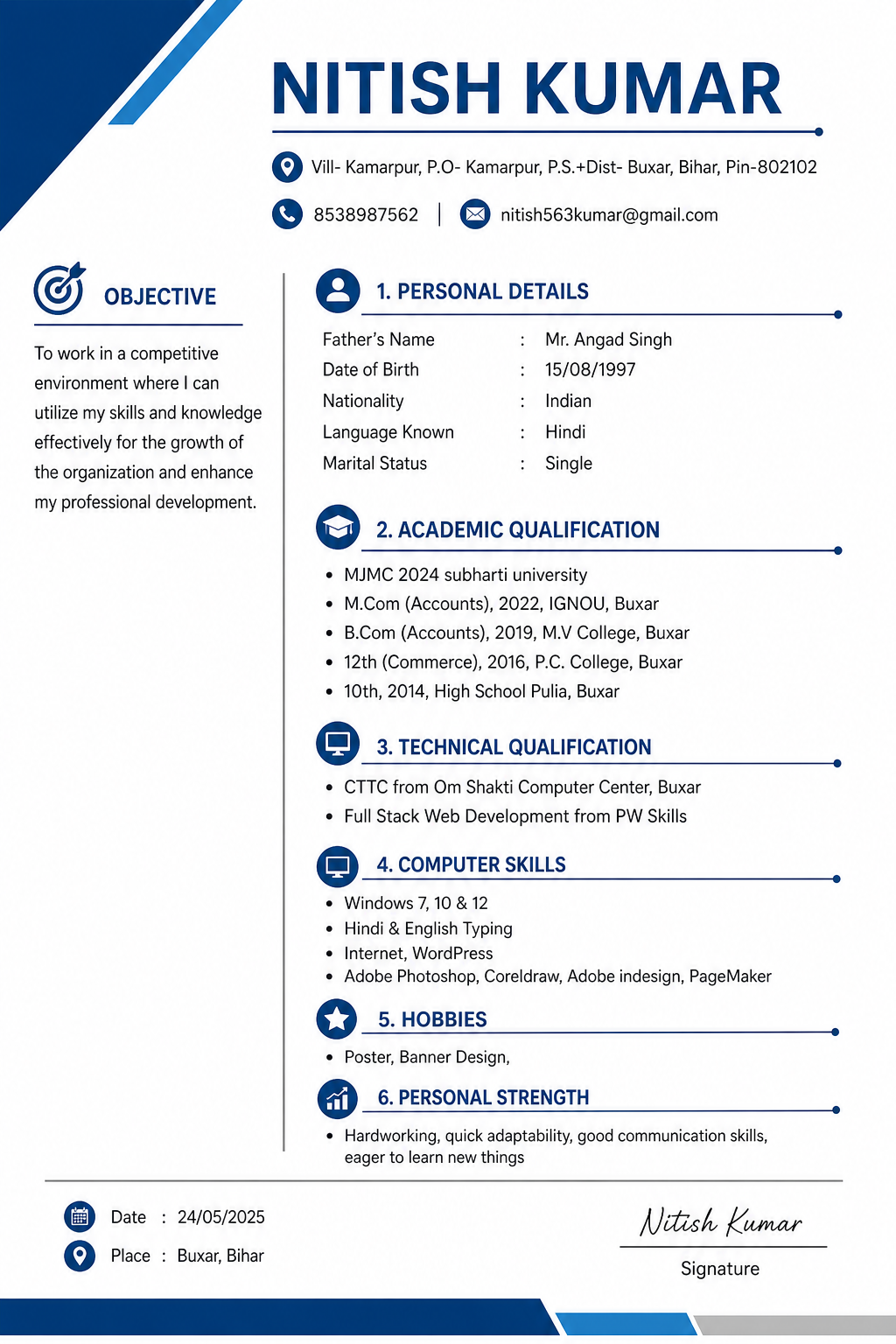
A clean, professional and modern full-page resume design for a candidate named Nitish Kumar from Bihar, India. The layout is A4 size, portrait orientation, with a minimal and corporate style.
🧠 💡 Is Prompt Ko Kaise Use Karein?
1️⃣ Is prompt ko copy karein
2️⃣ Kisi bhi AI tool me jaayein (jaise image generator / design tool)
3️⃣ Prompt paste karein
4️⃣ Generate button par click karein
5️⃣ Aapka professional resume ready ho jayega 🎉
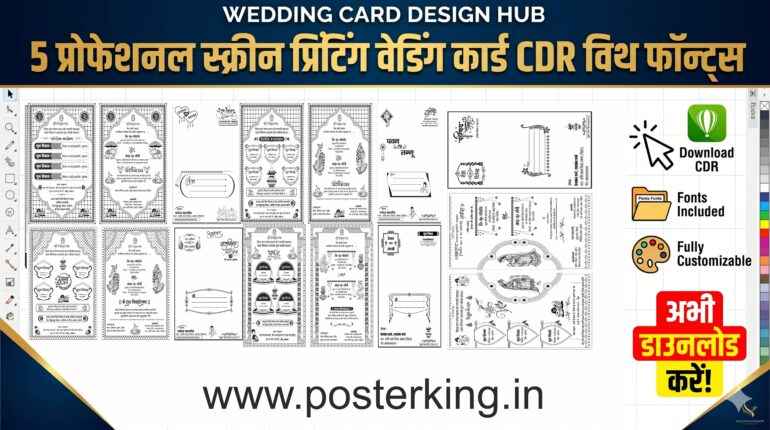
5 Premium Shadi Card CDR file Download with fonts
📋 Copy Kaise Karein?
👉 Upar diye gaye code box me jaakar
👉 Long press (mobile) ya mouse drag (PC) karein
👉 Copy option select karein
👉 Paste karke use karein
🚀 Pro Tip:
Aap apna naam, address aur details change karke isi prompt se unlimited resumes bana sakte hain।
🌍 Aur aise hi aur bhi design prompts ke liye visit karein:
👉 www.posterking.in
📌 Save karein | Share karein | Use karein
Top section:
Include the name “NITISH KUMAR” in bold, large font. Below it, add address: “Vill- Kamarpur, P.O- Kamarpur, P.S.+Dist- Buxar, Bihar, Pin-802102”. Add contact number and email with small icons.
Left side or top section:
Add “OBJECTIVE” section with a short professional paragraph about working in a competitive environment and contributing to company growth.
Main sections with clean headings and divider lines:
1. PERSONAL DETAILS
– Father’s Name: Mr. Angad Singh
– Date of Birth: 15/08/1997
– Nationality: Indian
– Language Known: Hindi
– Marital Status: Single
2. ACADEMIC QUALIFICATION
– M.Com (Accounts), 2022, IGNOU, Buxar
– B.Com (Accounts), 2019, M.V College, Buxar
– 12th (Commerce), 2016, P.C. College, Buxar
– 10th, 2014, High School Pulia, Buxar
3. TECHNICAL QUALIFICATION
– CTTC from Om Shakti Computer Center, Buxar
– Full Stack Web Development from PW Skills
4. COMPUTER SKILLS
– Windows 7, 10 & 12
– Hindi & English Typing
– Internet, WordPress
5. HOBBIES
– Poster Banner Design
6. PERSONAL STRENGTH
– Hardworking, quick adaptability, good communication skills, eager to learn new things
Bottom section:
Include Date, Place, and a Signature placeholder on the right side.
Design style:
Use white background with blue and gray accents. Add subtle lines, icons, and section dividers. Use modern typography, clean spacing, and professional alignment. Make it ATS-friendly, high resolution, print-ready, elegant and minimalistic.
Need premium editable design files?
Explore our latest CDR, PSD, fonts and ready-to-edit design collections.
Explore Products →
Comments
अपनी राय लिखें. Submit करने के लिए account login जरूरी है.