Description
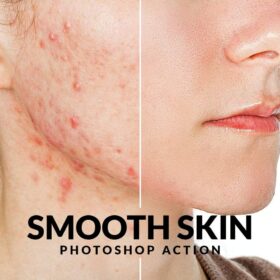
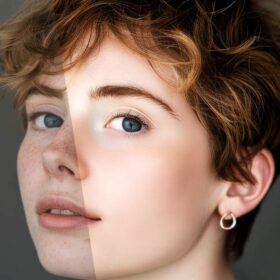
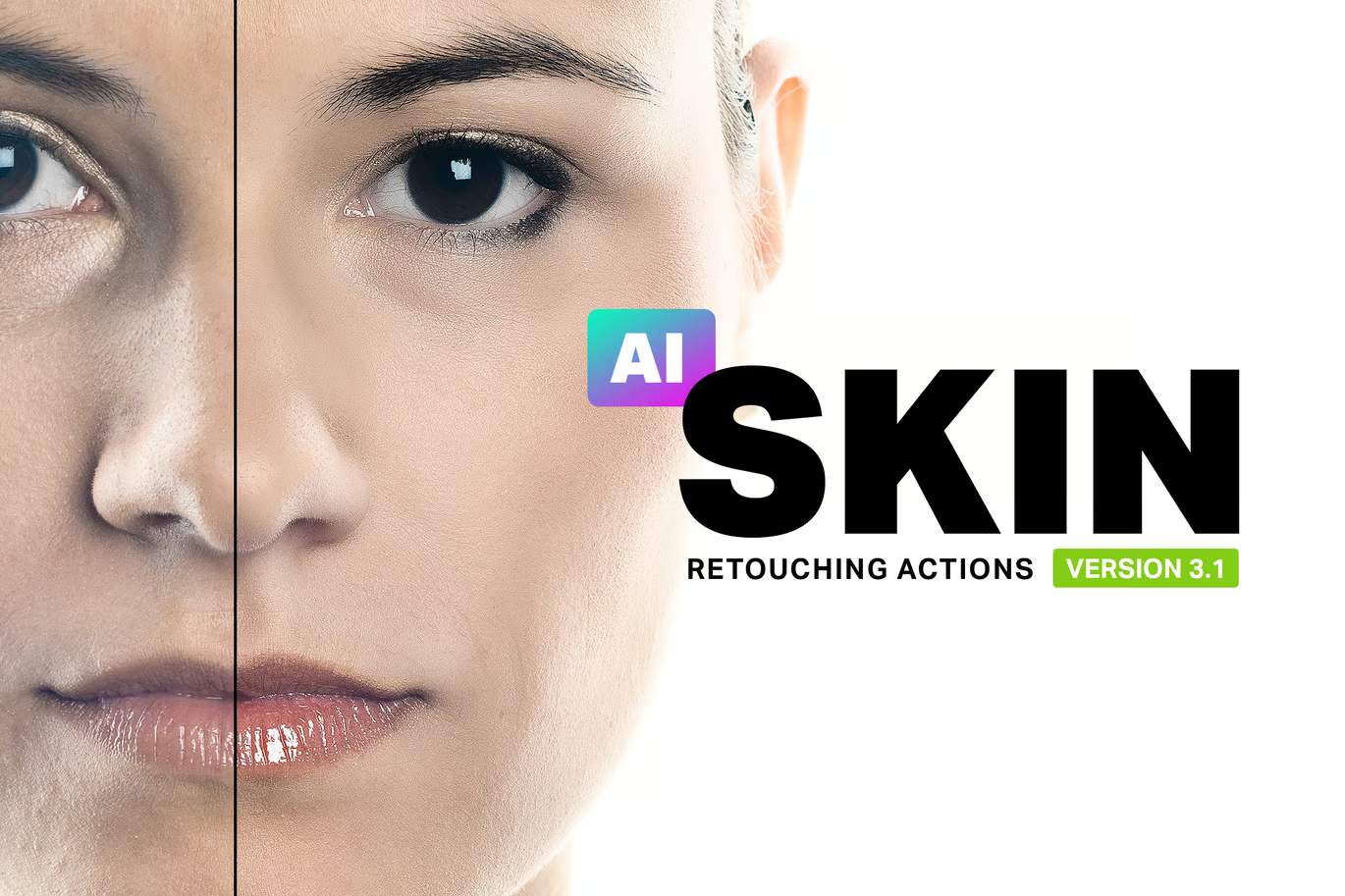
Skin is the worlds most advanced skin retouching actions. These actions let you retouch portraits in a fraction of the time with only a beginners knowledge of Photoshop. You can mattify, airbrush, and heal skin using the same techniques professionals use.
Features
- 36 Retouching Actions
- Powered with Artificial Intelligence for 1-click retouching
- Professional Results with Nondestructive Layers
- Full 16-Bit and Partial 32-Bit Support with Automatic Bit-Depth Detection
- Supports ProPhoto RGB
- Used by Professional Retouchers
- Featured on Adobe Exchange and Advanced Creation Photoshop Magazine
- Works natively with Apple Silicon M1/M2/M3 processors
—
Photoshop Actions
- AI Mattifier (CC 2018+) – Mattify oily skin in one-click. No brushing required.
- AI Ultra Mattifier (CC 2018+) – Use this action for more oily skin. AI does this in one-click.
- Mattifier – An easy and safe way to mattify oily skin.
- Ultra Mattifier – Use this action for more oily spots.
- Ultra Mattifier (Manually Select Skin Tones) – This action lets you sample the skin tones before mattifying skin. Produces the best results.
- AI Skin Airbrushing – Airbrush skin in one-click. No brushing required.
- AI Skin Airbrushing (Lite) – Similar to AI Airbrushing but with more natural results.
- AI Skin Airbrushing (Sharp) – A stronger version of AI Airbrushing that also produces sharper skin details.
- AI Skin Blur – For certain demographics, advertising agencies choose to use stronger skin retouching techniques. This action gives the skin a CG-look and retains most skin details. As this action is AI-powered, no brushing is required.
- AI Plastic Skin – Produces the smoothest skin but with reduced skin details.
- Skin Airbrushing – After mattifying the skin, use the airbrushing actions to refine the look of skin. This is the same frequency-separation technique used by pro retouchers and it makes the skin look smooth while retaining all the skin details.
- Skin Airbrushing (Lite) – A more natural-looking variation of the Skin Airbrushing action.
- Skin Airbrushing (Sharp) – A stronger variation of the Skin Airbrushing action that also produces sharper skin details.
- Skin Blur – For certain demographics, advertising agencies choose to use stronger skin retouching techniques. This action gives the skin a CG-look and retains most skin details.
- Plastic Skin – Takes the Skin Blur action a step further with increased smoothness and reduced skin details
- AI Skin Tone Uniformity – Reduce color cast and skin discoloration.
- Skin Tone Uniformity – Reduce color cast and skin discoloration with the ability to choose the areas to retouch.
- Freckle Reducer (Light-Brown Freckles Only) – Remove freckles without cloning/healing! This action reduces light-brown freckles (ephelides) and blends them in with the skin.
- Redness Reducer – This action is great for reducing skin inflammation and improving skin tones.
- Brighten Eyes – Easily brighten eyes and reduce red-eye syndrome. It also retails details in the pupils by preventing clipped highlights/shadows.
- Darken Eyelashes & Eyebrows – Easily darken eyelashes and eyebrows without masking.
- Lip Enhancer – Use this action to make the lips look sharper and more vibrant.
- Lip Enhancer (Strong) – A stronger variation of the Lip Enhancer action for lips without lipstick.
- Teeth Whitener – Reduce yellowness while retaining the natural pearl color of teeth.
- Clipping-Free Contrast – Increase contrast while retaining details in the highlights and shadows.
- High-Pass Contrast – This contrast effect is great for increasing clarity in airbrushed skin.
- Local Contrast – Use this action to improve edge contrast and photos taken with low-quality lenses.
- Shadow Contrast – Increase contrast only in the shadows.
- Midtone Contrast – Increase contrast only in the midtones.
- Highlight Contrast – Increase contrast only in the highlights.
- AI Super Sharpen – A custom sharpening algorithm that applies a pixel-sharp sharpening effect. Using AI, it lessens the effect in out-of-focus areas and backgrounds.
- Super Sharpen – A custom sharpening algorithm that applies a pixel-sharp sharpening effect that can be faded simply by changing the opacity.
- Emphasize Skin Flaws – This action gives your portrait a grungy/dirty look – it finds the skin details and emphasizes them without the use of filters.
- Diffused Glow – Add a beautiful skin glow that isn’t too cheesy. This diffused glow effect looks great because only affects the highlights.
- AI Select Skin Tones – Creates a selection of skin tones using a combination of artificial intelligence and face-detection. When no face is present, it selects common skin tones.
- Select Skin Tones – Creates a selection of skin tones using face-detection. When no face is present, it selects common skin tones.
- Troubleshooting – Automatically detect and resolve common document issues. For Photoshop CC 2018 or newer, it can detect issues with brush settings.
Notes:
- Photoshop CC 2018 and Newer Users: AI-Powered actions utilize artificial intelligence by Adobe Sensei. Results are not always perfect and may require further editing. The AI algorithms are constantly improving and delivered through Photoshop updates – no updates to the actions are required. For best results, please keep Photoshop CC updated.
- Photoshop CS6 to CC 2017 Users: The AI-Powered actions are not available in Photoshop CS6-CC. They require Photoshop CC 2018 or newer.
- Photoshop CS3 to CS5 Users: The AI-Powered actions and Select Skin Tones action are not available in Photoshop CS3-CS5.
- Photoshop Elements Users: The AI-Powered actions, Mattifier, Freckle Reducer, Emphasize Skin Flaws, and Troubleshooting actions are not available in Photoshop Elements. The actions also don’t have the ability to automatically correct common issues.